Type or clear a parcel's label cost
Type the real postage label cost for any parcel on the Shipping page, an order's page or in the app, or clear it to go back to automatic eBay Labels.
You can type the real postage label cost for any parcel yourself. On the website, press Edit in the Label cost column of the Shipping page; in the app, tap the pencil next to the parcel in To ship. Leave the box empty and save to go back to automatic.
A cost you type shows as Entered by you and counts as a confirmed cost. eBay's data and imports never change it unless you ask an import to.
When to type a cost
- You bought the label outside eBay and have no file to import.
- You posted the parcel at a counter and paid there.
- The parcel cost nothing to send, so you type 0.
- An estimate or an automatic share is not right and you know the real figure.
For many parcels at once, an import is quicker; see Import label costs from a file.
On the Shipping page (website)
- Open Shipping.
- Find the order. You can search by product, buyer or SKU, or filter by sold date.
- In the Label cost column, press Edit.
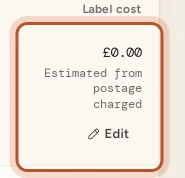
- Type what the label for this parcel cost you. The box's hint shows where the current figure came from.
- Press Save label cost.
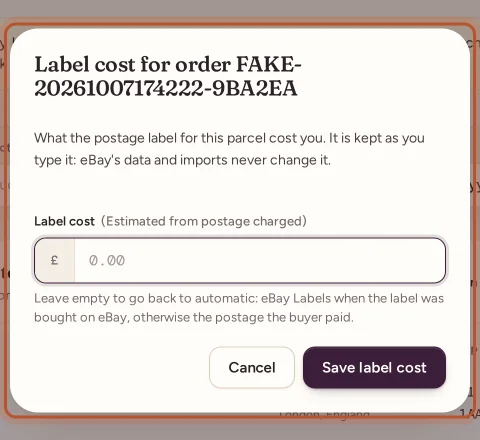
The figure is for the whole parcel. If the eBay order has several items, it is shared over them by each item's share of the sale, and the dialog tells you how many items it covers.
On an order's page (website)
- Open the order from Orders.
- Under the profit breakdown, find Label and packaging.
- Type the Label cost, and the Packaging cost if you like.
- Press Save costs. The message shows the new net profit.
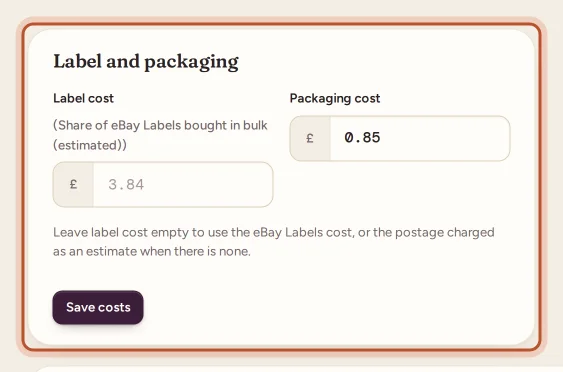
This sets the cost for that one order line only. Use it when you want to set packaging at the same time, or when items of one order went in separate parcels.
In the app
- For a parcel: open Sales, tap the truck icon for To ship, then tap the pencil next to the parcel's label cost. Type the cost and tap Save.
- For one order line, with packaging: open the order and tap Postage. The Postage and packaging sheet has Postage label and Packaging.
Going back to automatic
Open the same box, delete the figure so it is empty, and save. The parcel then uses:
- its eBay Labels cost, or its share of a bulk eBay Labels purchase, when the label was bought on eBay;
- otherwise the postage the buyer paid, as an estimate shown in amber.
On the Shipping page the change takes effect at once. From an order's page, an eBay Labels cost comes back on the next finance refresh; press Refresh finance entries on the order to get it straight away.
Typed costs and bulk purchases
If a parcel had an automatic share of a bulk eBay Labels purchase and you type its real cost, ProfitClerk keeps your figure and shares the rest of the purchase over the other orders. A parcel with a typed cost is shown as Label cost set by you: kept as it is when you check a bulk purchase; see eBay Labels bought in bulk.
Questions people ask
Will eBay's data overwrite a cost I typed?
No. A cost you type is kept exactly as you typed it. Syncs, eBay Labels and imports that do not ask to replace it leave it alone.
How do I undo a cost I typed?
Open the same box, clear it and save. The parcel goes back to automatic, using eBay Labels when the label was bought on eBay, otherwise the postage the buyer paid.
What is the difference between the Shipping page and the order page?
The Shipping page sets the label for the whole parcel and shares it over all its items. The order page sets the label and packaging for that one order line.
Why can't I see the Edit button?
Only owners and managers can change costs. Other team members see the label costs but not the Edit button.
Can I type a label cost of zero?
Yes. Type 0 when a parcel cost you nothing to send, for example when it was collected or delivered by hand.
Thanks for telling us.