Re-import missed eBay orders
Some eBay orders never arrived? Re-import missed orders asks eBay again for every order created in the last few days, so any gap in your sales is filled.
If some eBay orders never showed up in ProfitClerk, use Re-import missed orders. Instead of asking eBay for orders that changed since the last sync, it asks for every order created in the period you choose (for example the last 7 days) and brings in any that are missing, with their fees and refunds. Orders you already have are updated, not duplicated.
When you need it
The normal sync, every 15 minutes, asks eBay for orders that changed since the last successful sync, with a few hours of overlap. That is enough on a normal day. A gap can still appear when:
- the account could not sync for a while, for example while it needed reconnecting
- eBay was slow to report some orders
- an order exists on eBay but you cannot find it in ProfitClerk
In those cases pressing Sync now again does not help, because it starts from the last successful sync. Re-importing by creation date does.
Re-import on the website
From Settings:
- Open Settings (Workspace & eBay tab) and scroll to the Sync card.
- Under Re-import missed orders, choose how far back in Created in the last: 1 day, 2, 3, 7, 14 or 30 days.
- Select Re-import orders.
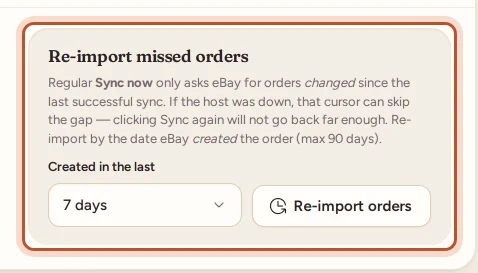
From the Overview: select the small arrow beside Sync now (More sync options), choose the number of days, from 1 day up to 90 days, and select Re-import orders.
When it finishes you see, for example, "Re-imported 12 order line(s) by creation date; updated fees/refunds on 15 row(s)."
Re-import in the app
- On Home, tap the circular arrows at the top (or the same button in More › eBay accounts).
- Under Re-import missed orders, tap 1 day, 2 days or 7 days.
Good to know
- Active account only. It re-imports the active eBay account. With several accounts, select Make active on the one you want first. See Connect more than one eBay account.
- Who can use it. The owner and managers, with an active plan.
- Up to 90 days. A re-import reaches back at most 90 days by creation date. For older history, use the two-year import.
- Fees catch up too. Fees and refunds for re-imported orders are read from eBay's financial records. Some may fill in on the following syncs; the message says so.
- No changes on eBay. Like every sync, it only reads.
Still missing?
- If the account shows Error, reconnect it first: Reconnect eBay when sync stops working.
- If your plan's monthly order limit is reached, new orders wait until next month or a bigger plan: see When syncing is paused.
- If the order came from a different eBay account, connect that account too.
- An order with no SKU, or a SKU that is not in your Inventory, is still brought in, but without an item cost. Filter Orders by No item cost to find it.
For how syncing works in general, see How syncing with eBay works.
Questions people ask
Will re-importing create duplicate orders?
No. Orders already in ProfitClerk are matched by their eBay order number and updated, not added twice.
How far back can I re-import?
Up to 90 days from the Overview's Sync now menu, 30 days from Settings, and 1, 2 or 7 days in the app. For older sales, use the two-year import on plans that include it.
Which eBay account does it re-import?
Your active eBay account. To re-import another one, make it active first in Settings.
Do re-imported orders count towards my monthly order limit?
Orders sold this month count once, as they would have when they first synced. Orders from earlier months do not count towards this month.
Thanks for telling us.