See your last two years of eBay sales
Bring two years of past eBay orders, fees and refunds into ProfitClerk, so you can compare this year's profit with last year's from your first day.
When you connect eBay, ProfitClerk brings in your recent orders and keeps up from then on. To see further back, start the two-year import: it brings in up to two years of past orders, eBay fees and refunds, so the Overview, reports and the Last 12 months card show last year as well as this one.
The import is included with some plans, not with the Try pass. It runs in the background, and you can carry on using ProfitClerk while it works.
Why it is worth doing
- Compare years. The Last 12 months card shows your net profit against the 12 months before, month by month.
- Complete tax years. Reports such as profit and loss and eBay fees can cover a whole tax year, not just the weeks since you joined.
- Find patterns. Best sellers, slow movers and breakdowns by category or eBay site are more useful with more history.
Start the import
You can start it from three places. Each one imports a single eBay account, and the owner or a manager can start it.
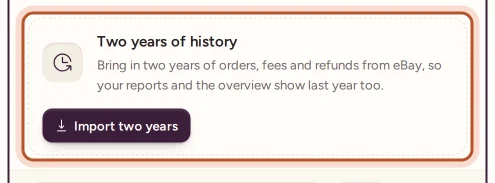
- The Overview: a notice called See your last two years has an Import two years button for your active eBay account.
- Settings: under each eBay account, Two years of history has an Import two years button.
- The app: More › eBay accounts, then Import under the account.
You see "Importing two years of history for…" and the import begins.
Follow its progress
The import works a month at a time, in three stages: Orders, then Fees and refunds, then Working out profit. While it runs:
- the Overview shows Importing your last two years from eBay with a progress bar and the number of orders so far, and refreshes now and then
- Settings and the app show the percentage done
- the Last 12 months card says "Still importing: these figures are not complete yet."
How long it takes depends on how many orders you have. When it finishes, Settings shows Imported on with the date and the number of orders, and the app can send you a notification: "Your last two years are in".
After the import: add item costs
eBay knows your sale prices and fees but not what your stock cost. Past sales without an item cost are flagged, and the Last 12 months card says how many there are, with a link to Add item costs. Until you add them, those sales show a profit before the cost of the item. See Add missing item costs.
Good to know
- Each eBay account is imported once. If you connect a second account, start its import separately.
- If eBay keeps refusing the import, it stops and shows The import stopped. Select Try again in Settings or on the Overview.
- The current month is left to the normal sync, so the import itself never pushes you over this month's order limit.
- If your plan does not include the import, Settings says so and links to See plans. See Plans and what each one includes.
For the full details, including what each stage reads from eBay, see The two-year eBay history import.
Questions people ask
Does ProfitClerk bring in my old sales when I connect eBay?
Connecting brings in your recent orders only. The two years before that come in when you start the two-year import, on plans that include it.
Is the history import included with the Try pass?
No. The Try pass does not include it. The plans page shows which plans do, and Settings tells you if yours does not.
Will old sales show a profit straight away?
They show eBay's real fees and refunds straight away. To take off what the items cost you, add those costs in Inventory; until then the sales are flagged as having no item cost.
Do imported orders use up my monthly order allowance?
The import brings in orders up to the start of the current month, and this month's orders come in through the normal sync. The orders meter only counts orders sold this calendar month.
Thanks for telling us.