Sign in with Google or Apple
Sign in or sign up to ProfitClerk with Google on the website and in the apps, or with Apple on iPhone. How accounts are linked, Hide my email, and passwords.
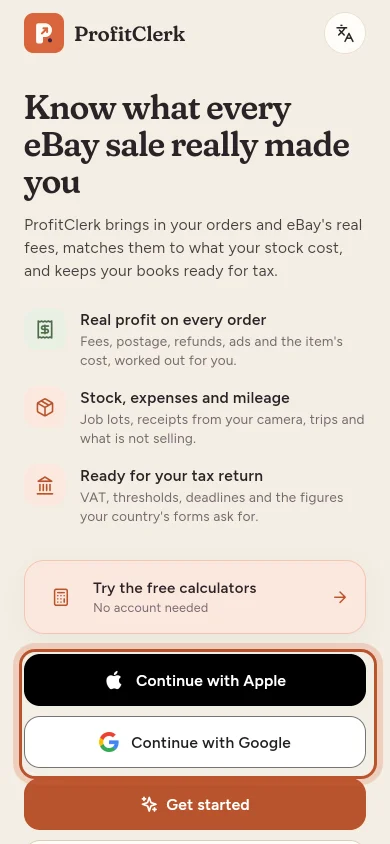
You can sign in to ProfitClerk with your Google account on the website, the Android app and the iPhone app, and with your Apple ID in the iPhone and iPad app. It is quicker than typing a password, and works for new and existing accounts.
| Where | Buttons |
|---|---|
| Website (sign-in and sign-up pages) | Continue with Google |
| Android app | Continue with Google |
| iPhone and iPad app | Continue with Apple and Continue with Google |
Sign in
- On the sign-in page or screen, select Continue with Google (or Continue with Apple on iPhone).
- Choose your account in the Google or Apple window and confirm.
- If two-step sign-in is on, enter the 6-digit code from your authenticator app. See Two-step sign-in.
You are signed in. Below the buttons, or with your email still lets you use your email and password.
Sign up with Google or Apple
If no ProfitClerk account uses that email address yet:
- Select Sign up with Google (or Continue with Google / Continue with Apple).
- You see Create your account: "No ProfitClerk account uses [email] yet. Agree to the terms to create your account and workspace."
- Tick the box to agree to the terms and select Create my account.
Your account and a new workspace are created, the same as signing up with an email. The address is already confirmed by Google or Apple, so there is no confirmation email. As with every new workspace, the next step is choosing the pass or a plan.
If you change your mind, choose Use another way to sign up.
How accounts are linked
- Same email as an existing account: you are signed in to that account, and your Google or Apple account is linked to it. Next time it finds you even if one of the addresses changes.
- Different email: a new account is offered. To use your existing account instead, sign in with its email and password.
- Teammates: if you were invited to a workspace, you can use Google or Apple once your account exists with the invited address.
Apple's "Hide my email"
If you choose Hide my email when signing up with Apple, Apple gives ProfitClerk a private relay address ending in privaterelay.appleid.com. That becomes your account's email, and Apple forwards our emails to you.
To link Apple to an account you already have, sign in with that account's email first, or choose Share my email in Apple's window.
Passwords and Google or Apple accounts
An account created with Google or Apple has no password you know. You do not need one to sign in that way. You may want one to:
- sign in with your email, for example on a computer without your Google account
- confirm deleting your account, or other steps that ask for your password
Use Forgot your password? with the same email address to set one. See Forgot your password. Google and Apple sign-in keep working afterwards.
If it does not work
| Message | What to do |
|---|---|
| Google sign-in did not work. Please try again, or use your email. | Try again, or sign in with your email and password. |
| Your browser blocked the Google window. | Allow pop-ups for the ProfitClerk website and try again. |
| That Google sign-in has expired. | Select Continue with Google again. |
| This way of signing in is not available. | That button is switched off; sign in with your email. |
Signing in with Google or Apple is recorded in your sign-in history like any other sign-in. See Sign-ins and sessions.
Questions people ask
Where can I use Sign in with Apple?
In the ProfitClerk iPhone and iPad app. The website and the Android app offer Continue with Google.
I already have an account with my email. Will Google create a second one?
No. If your Google or Apple account uses the same, confirmed email address, you are signed in to your existing account and the two are linked.
Do I still need my two-step code?
Yes. If two-step sign-in is on, ProfitClerk asks for the code from your authenticator app after Google or Apple.
Does my account have a password if I signed up with Google?
Not one you know. You do not need it to sign in with Google or Apple, but you can set one at any time with "Forgot your password?".
Google sign-in opens nothing on the website. What is wrong?
Your browser probably blocked the Google window. Allow pop-ups for this site and try again.
Thanks for telling us.