Sign-in history, devices and new sign-in alerts
See recent sign-ins to your ProfitClerk account, sign out other browsers or a lost phone, and learn what the new sign-in alert email means and what to do next.
You can see where your ProfitClerk account is used and sign out anywhere you do not recognise. On the website it is under Settings › Your profile › Sign-in and security; in the app it is More › Security and sign-in. We also email you when your account is signed in from a new device.
See where you are signed in
Website: in Sign-in and security, the section Where you are signed in has:
- Sign out of other browsers, which signs out every browser except the one you are using
- The app: each phone or tablet where the ProfitClerk app is signed in, with "Last used …" or "Not used yet" and its own Sign out button
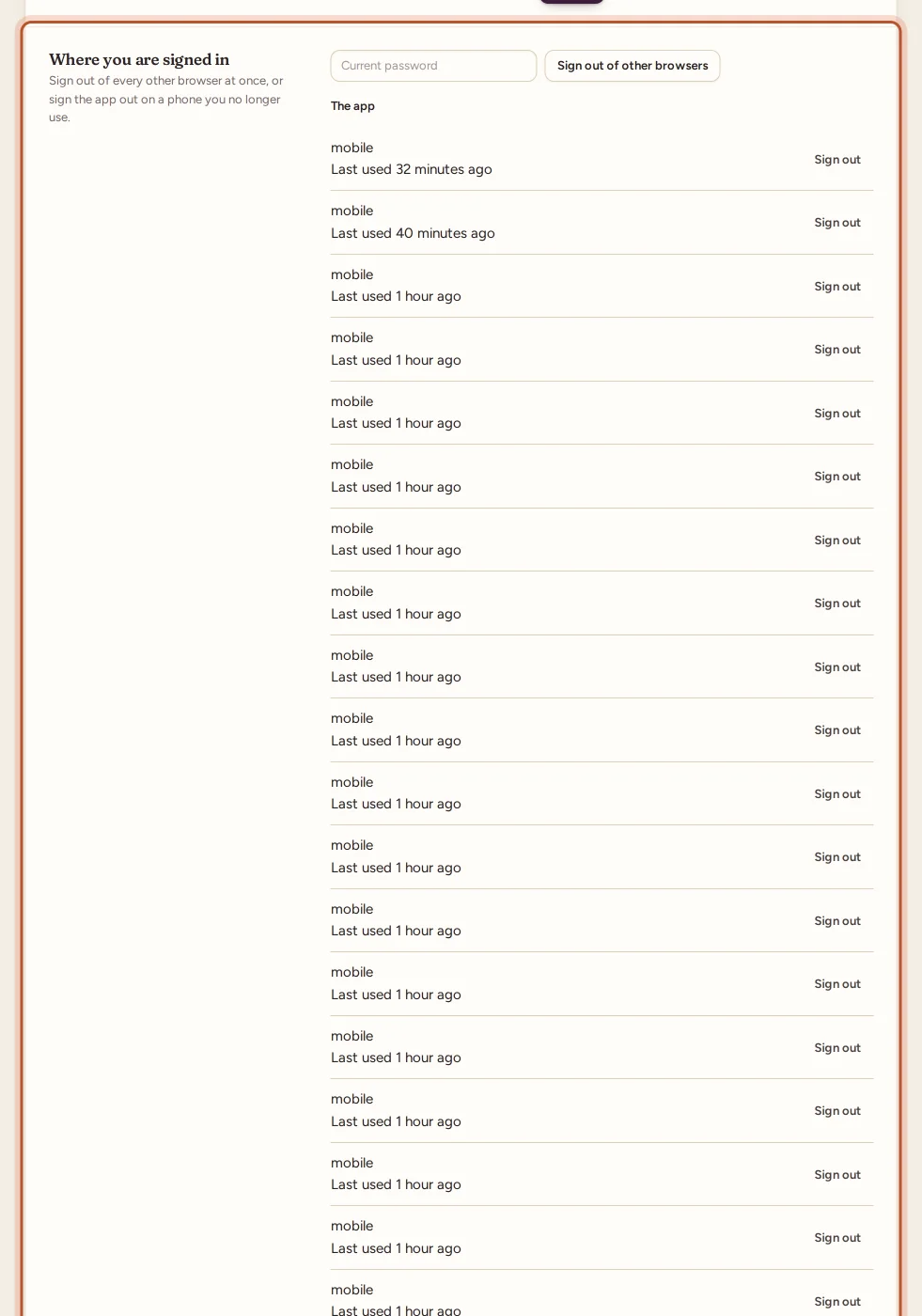
App: More › Security and sign-in has Where the app is signed in, with This phone marked, and Sign out next to each other phone.
Sign out other browsers and phones
Website:
- In Where you are signed in, type your current password.
- Select Sign out of other browsers. You see "Every other browser is signed out."
- To sign the app out on a phone, select Sign out next to that phone under The app.
App:
- To sign out one phone, tap Sign out next to it.
- To sign out everything else, tap Sign out everywhere else and enter your password: "Every browser and every other phone. This phone stays signed in."
The browser or phone you use stays signed in.
Recent sign-in activity
The table Recent sign-in activity lists the latest events on your account:
| Column | What it shows |
|---|---|
| When | Date and time |
| What | For example Signed in, Signed in to the app, Wrong password, Wrong two-step code, Recovery code used, Signed out, Two-step sign-in turned on, Other browsers signed out or Opened the website from the app |
| Device | The app or browser and the system, for example a browser on Windows; your current one is marked This device |
| IP address | The network address the sign-in came from |
A New device badge marks a sign-in from a device and network not seen on your account recently.
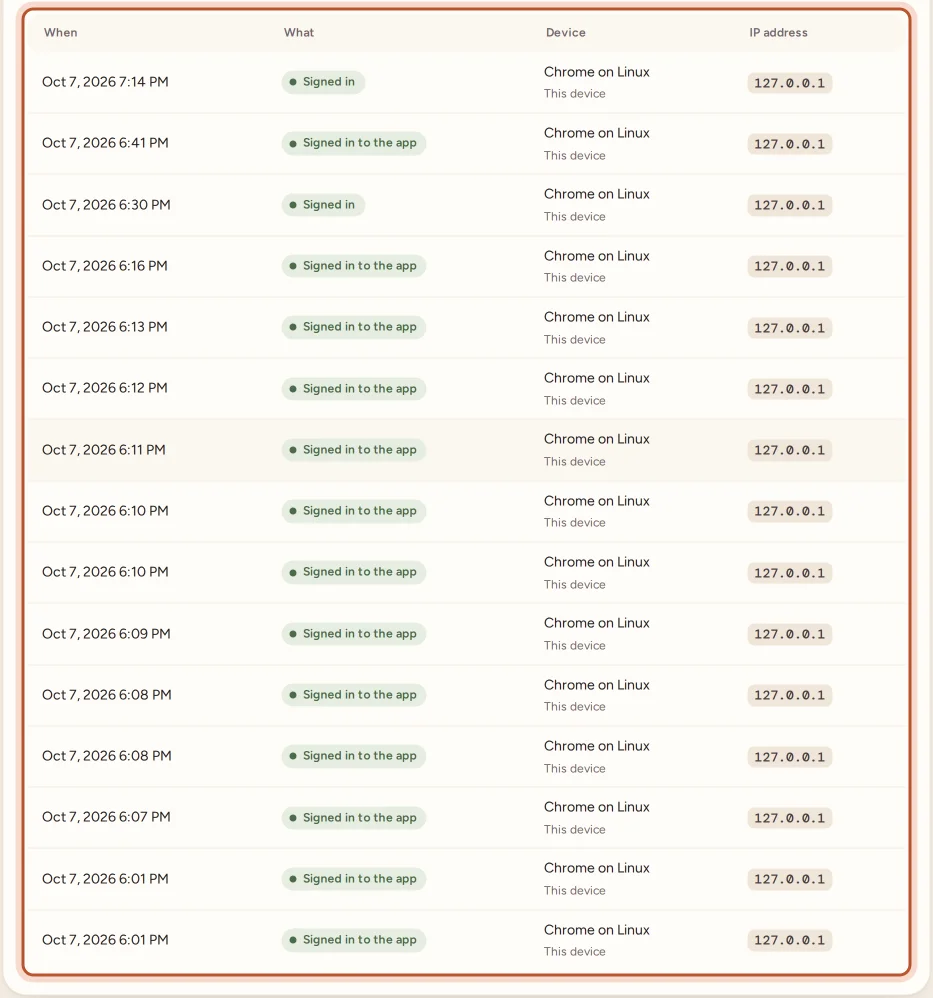
The app shows the same list under Recent sign-in activity.
New sign-in alerts
When your account is signed in from a device and network it has not used in the last 180 days, we send an email, "New sign-in to your ProfitClerk account", with the time, the device and the IP address. If push notifications are on, your phone gets "New sign-in to your account" as well. Your very first sign-in never sends an alert.
If it was you, there is nothing to do.
If you do not recognise a sign-in
- Change your password in Settings › Your profile. If you cannot sign in, use Forgot your password? (a reset also signs the app out on every phone). See Forgot your password.
- Sign out of other browsers and sign the app out on phones you do not know.
- Turn on two-step sign-in, so a password alone is never enough. See Two-step sign-in.
- Check the workspace: if you are the owner, look at Team for people you did not invite. See Team members and roles.
- If you are still worried, use Contact us and choose Help with my account.
Signing out on this device
- Website: select the Sign out button next to your name at the bottom of the sidebar.
- App: More › Sign out. You need to sign in again to see your data.
Signing out of the app also stops push notifications on that phone.
Questions people ask
Why did I get a "New sign-in" email?
Your account was signed in from a device and network it had not used in the last 180 days. If it was you, there is nothing to do. If not, change your password, turn on two-step sign-in and sign out your other devices.
How do I sign out a phone I lost?
In Where you are signed in, find that phone under The app and select Sign out. In the app on another phone, use Sign out everywhere else.
Does signing out other browsers sign me out here too?
No. The browser or phone you use to do it stays signed in. Everything else has to sign in again.
Why do I need my password to sign out other browsers?
To make sure it is really you, and not someone using a computer you left signed in.
How far back does the history go?
The list shows your most recent sign-ins, failed attempts and security changes.
Thanks for telling us.