Record your business expenses and receipts
Track eBay seller expenses in ProfitClerk: categories, receipt photos, business-use share, VAT or GST you reclaim, search, missing receipts and a CSV export.
Add every business cost that is not stock and not an eBay fee on the Expenses page: packaging, software, rent, phone and so on. Each expense comes off your profit, keeps its receipt with it, and lands on the right line of your tax return in the tax centre.
On the website, open Expenses in the menu. In the app, go to Money › Expenses, or tap + and choose An expense to add one with a photo of the receipt.
What counts as an expense here
Expenses are what the business spends besides stock and eBay's fees. Two things are counted elsewhere, so do not add them here:
- Stock you buy to resell. Add it in Inventory, so it counts as the cost of what you sell.
- Postage labels already on your orders. Labels bought on eBay or imported onto orders are counted on those orders. Only add postage that is not, such as a courier account invoice.
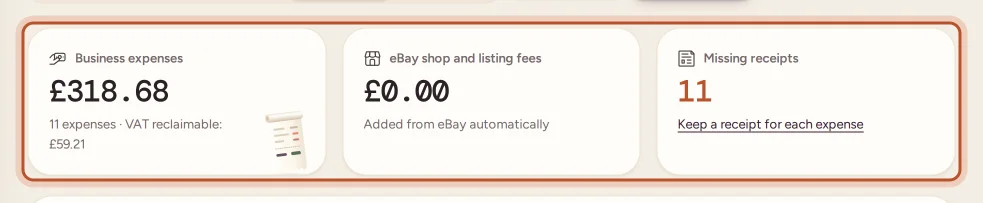
eBay charges that belong to no order, such as your shop subscription and listing fees, are added from your eBay account automatically. You see them in the From eBay card and in the eBay shop and listing fees total. Promoted Listings are counted from eBay too.
Add an expense
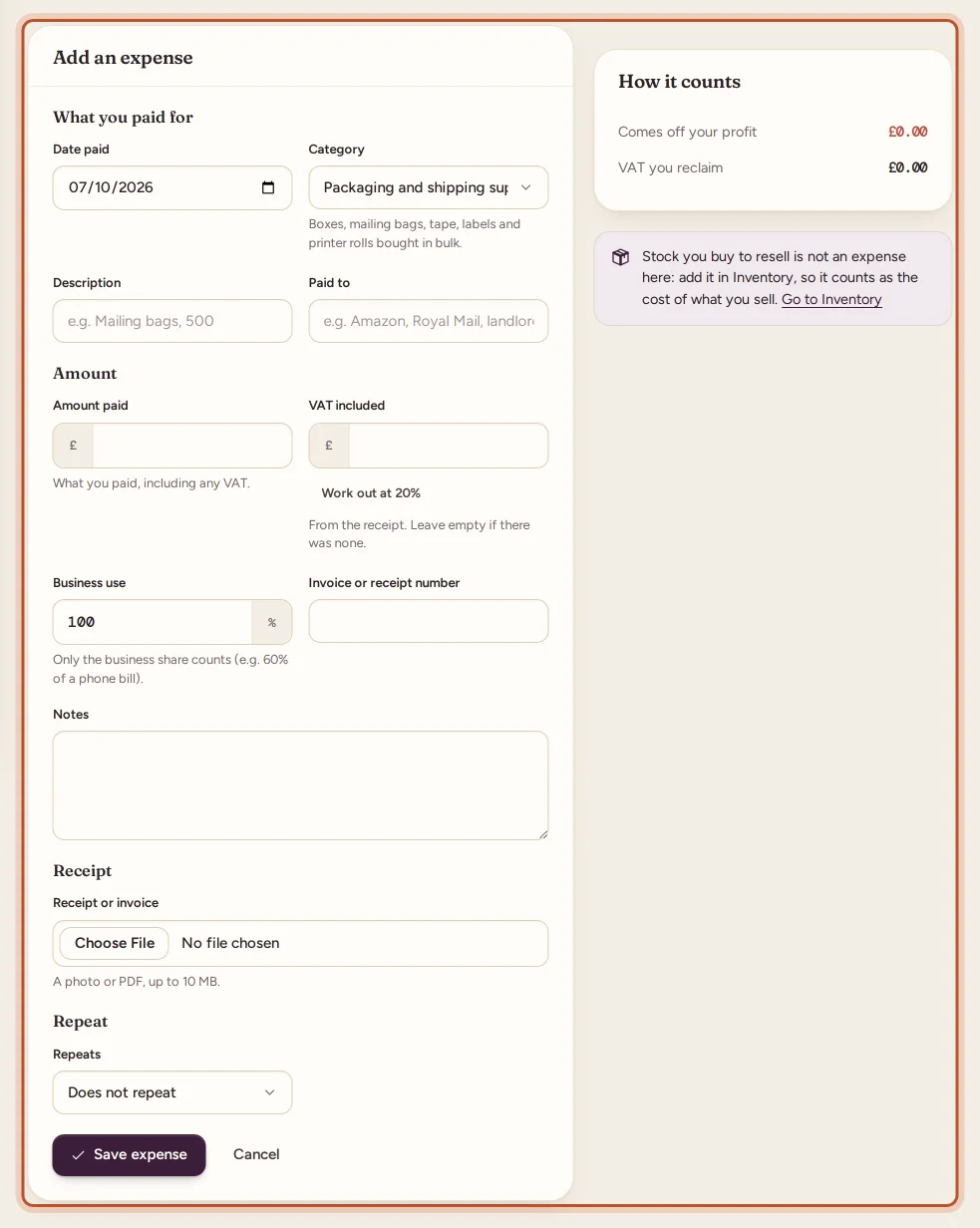
- Select Add expense (website) or the Add expense button (app).
- Fill in Date paid, Category and a Description, for example "Mailing bags, 500". Paid to is optional.
- Enter the Amount paid, including any VAT or GST.
- In VAT included (or GST included), type the tax from the receipt. Leave it empty if there was none. Work out at …% fills it in at your country's standard rate.
- Set Business use if you also use the thing privately, for example 60% of a phone bill. Only the business share counts.
- Optionally add the Invoice or receipt number and Notes.
- Attach the receipt (see below) and select Save expense.
The How it counts panel on the website shows, as you type, what Comes off your profit and how much VAT or GST you reclaim.
Categories
Pick the category that fits best. They are grouped as Selling, Running the business, Premises, Travel, People and advice, Equipment and Other, and each shows a short hint when you choose it. Examples:
- Packaging and shipping supplies: boxes, mailing bags, tape and printer rolls.
- Software and subscriptions: listing tools, photo editing, accounting software.
- Phone and internet: set the business-use share if you also use it privately.
- Rent and storage, Insurance, Vehicle costs, Travel.
- Accountant and legal, Bank and card charges, Training.
- Equipment: things you keep, such as a computer or label printer.
Fuel and car costs are one way to claim for driving. The other is a mileage allowance: see Log business mileage, and check with your accountant which one you should use.
Receipts by photo or PDF
Tax offices can ask to see a receipt, so keep one with each expense.
- In the app, under Receipt, choose Take a photo or Choose a photo.
- On the website, under Receipt or invoice, upload a photo or a PDF of up to 10 MB.
To replace a receipt, upload a new one. To delete it, tick Remove the receipt and save. Receipts are stored privately and only people in your workspace can open them, with the receipt icon in the list.
VAT and GST you reclaim
If you are VAT or GST registered and not on the flat rate scheme, the tax inside an expense is taken out of its cost and counted as tax you reclaim. The Business expenses total then shows how much is reclaimable. If you are not registered, or you use the flat rate scheme, all of the amount is a cost.
This follows your country and tax profile. The figures are estimates to help you keep records; your accountant or your tax authority has the final word on what you can reclaim.
Find an expense
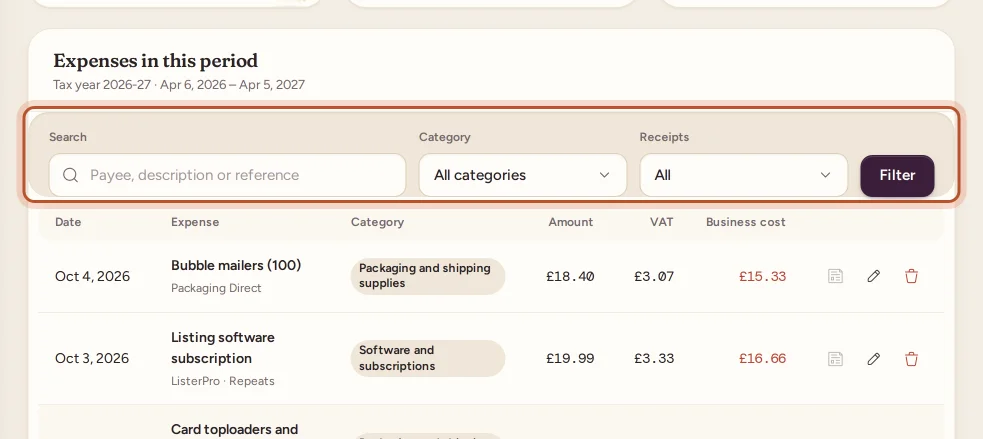
The page opens on the current tax year. Change the period at the top (3 months, 6 months, 12 months, This tax year or Last tax year). Then narrow the list:
- Search looks in the payee, description and reference.
- Category shows one category. You can also select a category in the By category card or on a row.
- Receipts shows All, With receipt or Missing receipt.
The Missing receipts total links straight to the expenses without one. In the app, use the search box and the No receipt filter.
Export to CSV
Select Export CSV to download the expenses in the period, with the filters you have set. Each row has the date, payee, description, category, amount paid, tax included, business-use %, business cost, tax reclaimable, reference, notes, whether there is a receipt and whether it repeats. In the app, the download button opens the same export in your browser.
Edit or delete an expense
Select the pencil to edit an expense, or the bin to delete it. Deleting an expense deletes its receipt too. Expenses that repeat show Repeats; to change future dates, see Repeating expenses.
Questions people ask
Should I add the stock I buy to resell as an expense?
No. Stock you buy to resell goes in Inventory, so its cost is counted when each item sells. Adding it as an expense as well would count it twice.
Do I need to add my eBay shop subscription?
No. eBay charges that belong to no order, such as your shop subscription and listing fees, are read from your eBay account and shown under From eBay. They count as eBay fees.
What file types can I attach as a receipt?
On the website you can attach a photo (JPG, PNG, WebP, GIF or HEIC) or a PDF of up to 10 MB. In the app you take a photo or choose one from your library.
Why does an expense cost less than I paid?
The business cost is your business-use share of the amount, less any VAT or GST you can reclaim. You reclaim it only when you are registered and not on the flat rate scheme.
Can my team add expenses?
Owners and managers can add, edit and delete expenses. Viewers can see the list, open receipts and export it, but not change anything.
Are the expense categories the official tax categories?
They are general categories, each mapped to a line of your country's tax form in the tax centre. Ask an accountant or check your tax authority's guidance if you are unsure what you can claim.
Thanks for telling us.