Discount codes and offers
How to use a ProfitClerk coupon code at checkout, how automatic offers work, which payments a discount covers, and what each coupon error message means.
To use a discount code, open Billing on the website, select Have a coupon? on the plan you want, type the code and buy the plan as usual. The discount is taken off before you pay. Some plans also show an offer that is taken off automatically, with no code needed.
Discount codes work for plans bought on the website. In the app, plans are sold at the App Store or Google Play price.
Use a coupon code
- Open Billing under Workspace in the sidebar.
- Choose Monthly or Yearly with the switch above the cards.
- On the plan you want, select Have a coupon?.
- Type the code in the Coupon box. Capital letters are not needed.
- Tick the box to agree to the terms and select Choose [plan] (or Switch to [plan]).
- The checkout shows the discounted amount. Pay as usual.
If the code cannot be used, you stay on the Billing page with a message saying why (see below).
Offers that need no code
Sometimes a plan card shows an Offer badge, a crossed-out price and the new price. The offer is taken off automatically for everyone who can use it. The line under the price says how long it lasts, for example:
- "for your first month, then [price] a month"
- "for your first year, then [price] a year"
- "a month for as long as you stay"
If more than one offer could apply, you get the biggest. If you type a code, the code replaces the offer.
Which payments a discount covers
Each code or offer is one of two kinds:
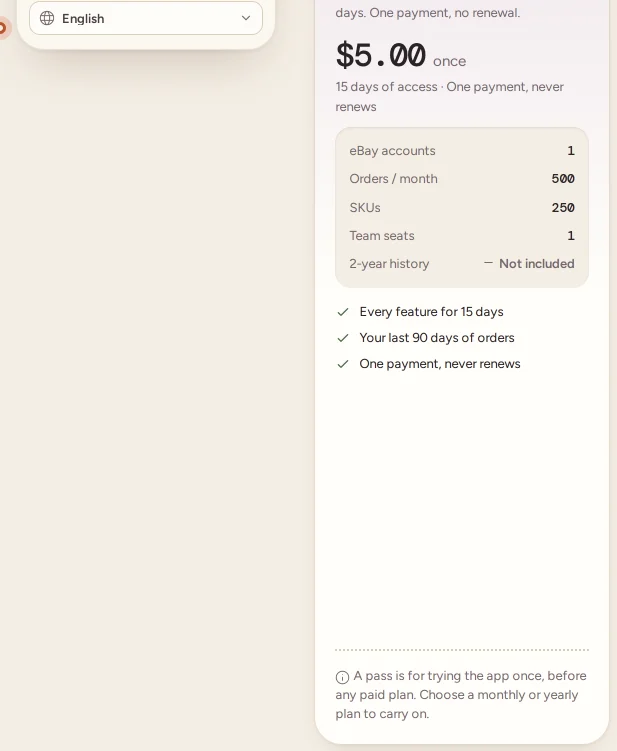
- First payment only: money off your first month, your first year or the pass. From your second payment you pay the plan's normal price, which the card shows as "Then [amount] a month from your second payment."
- Every payment: money off every renewal for as long as you keep that plan.
A code can also be limited to some plans or to monthly or yearly billing, or to new customers who have never paid.
See the discount on your receipt
The discount is shown on the receipt as Coupon · [code] or Offer · [name], between the Subtotal and the Total. In Billing › Transactions, the Discount column shows the amount taken off. See Receipts and payment history.
When a code does not work
| Message | What it means |
|---|---|
| That coupon code is not valid. | The code is misspelt or does not exist. Check it and try again. |
| That coupon is not active yet. | The code starts on a later date. |
| That coupon has expired. | The code's end date has passed. |
| That coupon has reached its redemption limit. | The code has been used as many times as allowed. |
| That code does not cover this plan or billing cycle. | Try it on another plan, or switch between Monthly and Yearly. |
| That code is for new customers only. | Your workspace has paid for a plan before. |
| This workspace has already used that code. | Each workspace can use a code once. |
Changing plan after using a code
If you move to another plan, the new plan is a new purchase at that plan's price. A discount belongs to the plan you used it on and does not move to the new one, and a code you have already used cannot be used again. If the new plan's card shows an offer, it is one your workspace can still use, and it is taken off as usual. See Changing your plan.
Questions people ask
Where do I enter a coupon code?
On the Billing page, select Have a coupon? on the plan you want, type the code and buy the plan as usual. The discount is taken off at checkout.
Can I use a code in the app?
No. Coupon codes are for plans bought on the website. Plans in the app are sold at the App Store or Google Play price.
Do I need a code for an offer shown on the plan card?
No. An offer shown on a plan card is taken off automatically. If you type a code, it replaces the offer.
Does the discount apply to every payment?
It depends on the code. Some take money off your first payment only (the first month, first year or the pass), others off every payment. The plan card and the receipt show which.
Can I use the same code twice?
No. A workspace can use each code once.
Thanks for telling us.