Give eBay listings without a SKU their cost
No custom label on your eBay listings? Give each live listing its cost from eBay listings, or link it to stock you added when you bought it.
Many resellers list one-off items without a SKU (eBay's Custom label). ProfitClerk still gives those sales their item cost: open eBay listings, give each live listing what it cost you, or link it to a stock item you added when you bought it. Its sales then pick up the cost by the listing's item number.
Open eBay listings
- Website: Inventory › eBay listings.
- App: Stock tab, then eBay listings.
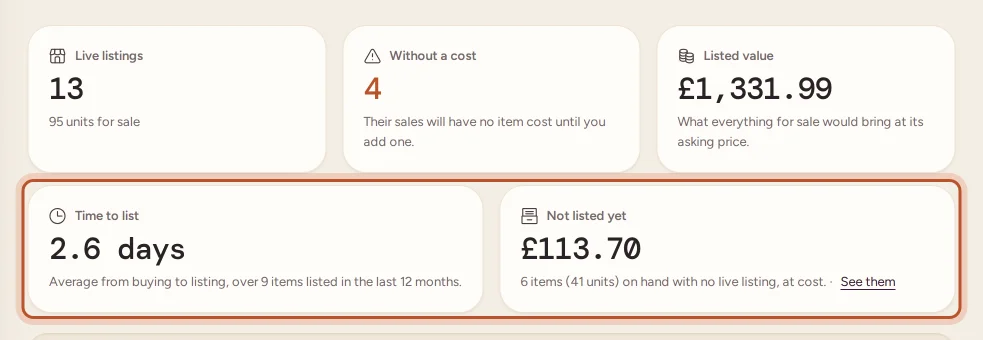
At the top you see how many listings are live, how many have no cost yet, and their listed value: what everything for sale would bring at its asking price. Below that:
- Time to list: on average, how many days pass between buying an item and listing it on eBay, over items first listed in the last 12 months. A long wait means money sitting in stock that nobody can buy yet.
- Not listed yet: stock on hand with no live listing, valued at what it cost you. See them opens Unsold stock, which marks these items not listed.
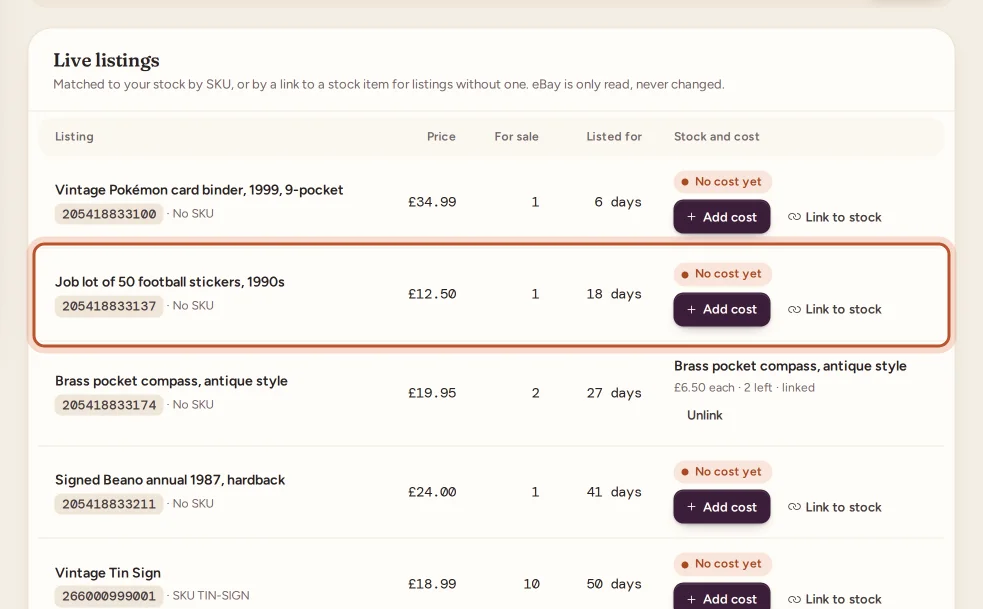
Each listing shows its price, how many are for sale, how long it has been listed, and the stock behind it:
- by SKU: a stock item has the same SKU as the listing.
- linked: the listing is linked to a stock item by its item number.
- No cost yet: nothing is behind it, so its sales would have no item cost.
Choose Without a cost to see only the listings that need one.
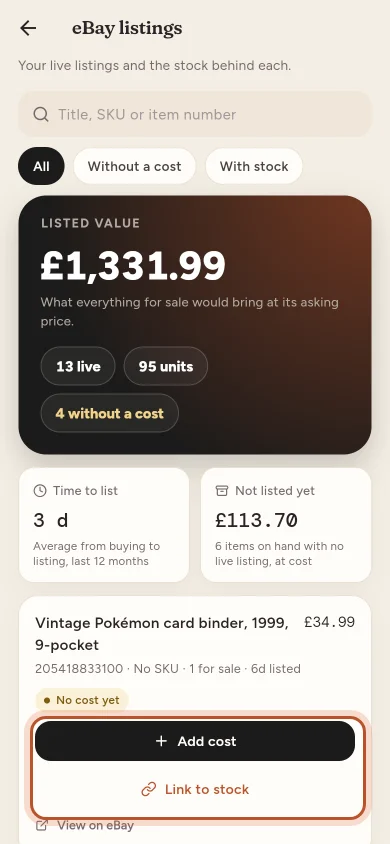
Add a listing's cost
- Find the listing and click Add cost (in the app, tap Add cost).
- Type the Cost per unit and the Units you have.
- Optionally add the Date bought, Where you bought it and a Storage location.
- Click Save cost.
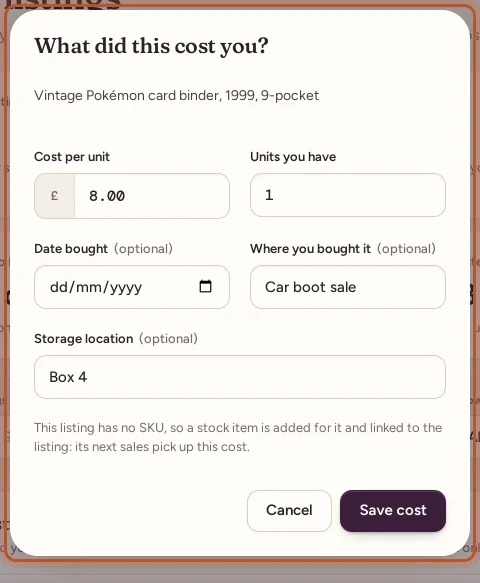
ProfitClerk adds a stock item for the listing and links them. A listing with a SKU gets a stock item under that SKU (or the existing one is restocked); a listing without one gets a stock item named after the listing, with EBAY- and the item number as its SKU.
If the listing already sold before it had a cost, tick Also give the earlier sales of this listing this cost to fill those sales in too. They take the cost per unit, but no units come off the stock you just entered.
Link a listing to stock you already added
Added the item to Inventory when you bought it? Link the listing to it instead of adding the cost again:
- Click Link to stock on the listing.
- Pick the stock item (start typing its SKU or name).
- Click Link.
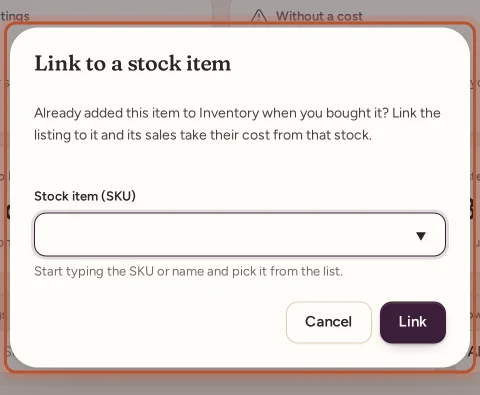
Sales of the listing from now on take their cost and units from that stock item, just as a SKU match would. Unlink takes the link away; sales already matched keep their cost.
The stock item's own page lists the eBay listings it sells from, live ones first.
Which sales take the cost
- Sales made after you add the cost or link the listing match the stock item: its units come off and the sale gets the item's cost (average and FIFO).
- Sales made before keep whatever cost they had. Use the earlier-sales option above, or set their cost on Orders. See Sales with no item cost.
- A listing eBay relists keeps its link.
Questions people ask
Do I need SKUs on my eBay listings?
No. Give a listing its cost on the eBay listings page and its sales find the cost by the listing's item number. SKUs still work as before when you use them.
Which sales take the cost I add to a listing?
Sales of that listing made after you add the cost or link it. Earlier sales keep whatever cost they had; tick the option to give them the same cost per unit.
What happens when eBay relists the item?
A listing that eBay relists keeps its link, so sales of the new listing still find the stock and its cost.
Does this change anything on eBay?
No. ProfitClerk only reads your listings. It never lists, changes or ends anything on eBay.
How is Time to list worked out?
For each item, the days from the first time you bought it (its first restock date) to its first eBay listing. Items added to stock after they were listed are left out, as there is no wait to measure.
Why is a new listing not on the page yet?
Listings are read with each sync, every 15 minutes. Press Sync now on the Overview to read them straight away.
Thanks for telling us.