Write off damaged, lost or donated stock
Take stock that will never sell off your shelf: damaged, lost, donated or taken for your own use, with its cost recorded in your profit and loss.
Stock that will never sell, because it broke, went missing, was given away or you kept it, should come off your shelf with its cost recorded. Write off stock on the item's page does both: the units leave your stock and what they cost goes into your profit and loss.
Write off units
On the website
- Open the item from Inventory.
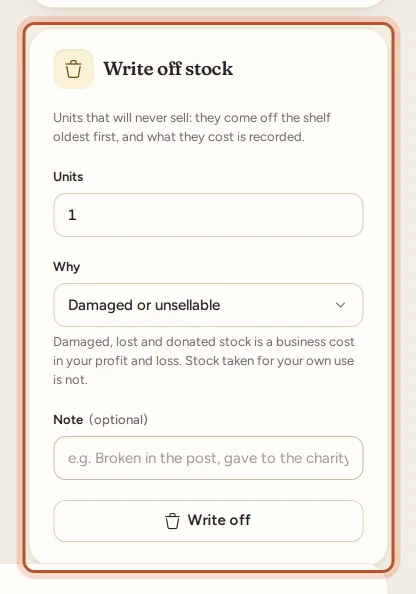
- In Write off stock, enter the Units.
- Choose Why:
- Damaged or unsellable
- Lost
- Donated
- Taken for own use
- Add a Note if you like, such as "Broken in the post".
- Click Write off.
In the app
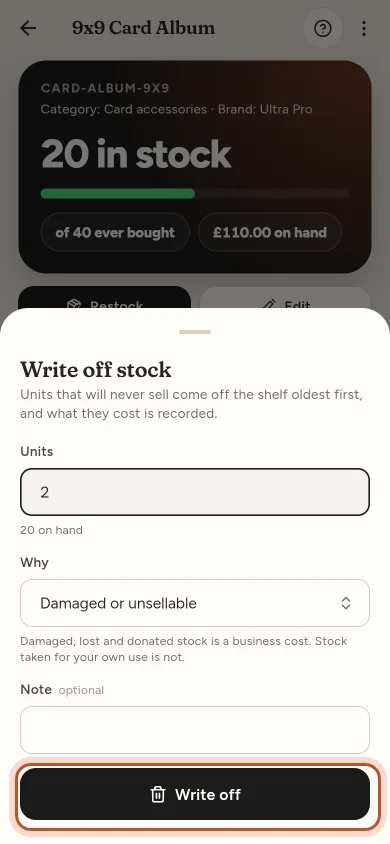
Open the item in Stock, tap Write off stock, enter the units, pick Why and tap Write off.
What happens
- The units come off Remaining, oldest first, as a sale would take them. The item's average cost does not change.
- What they cost is recorded, at average cost and at FIFO cost, and shown in the item's history (Remaining quantity adjustments on the website, Changes by hand in the app) with the reason.
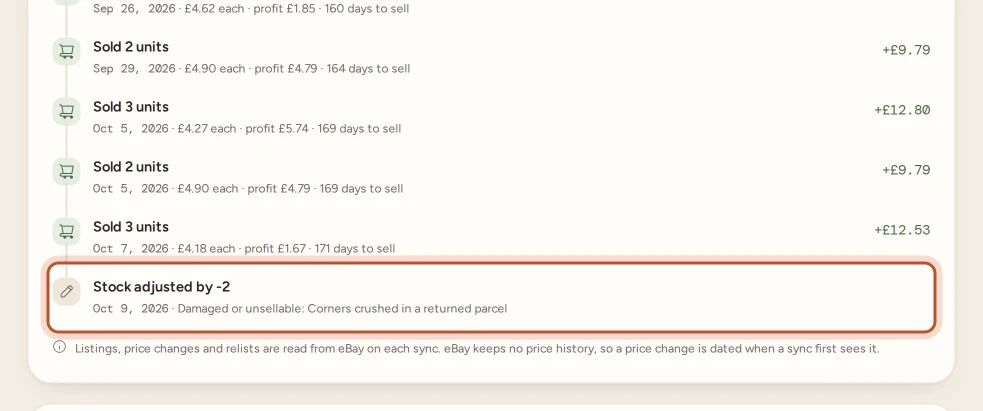
- The item's timeline shows the write-off and why.
In your profit and loss
- Damaged, lost and donated stock is a cost of the period: the Stock written off line, in the cost view you choose. Tax figures count it with the cost of goods.
- Taken for own use is never a business cost. It is listed under Also in this period.
- On the cash basis, stock is a cost when you pay for it, so a write-off is not counted again; it is listed under Also in this period instead.
See Your profit and loss statement.
To correct a count that was simply wrong, without recording a cost, change Remaining instead. See Restock an item or correct its quantity.
Questions people ask
What is the difference between a write-off and changing Remaining?
Changing Remaining corrects a count that was wrong and records no cost. A write-off says why the units went and records what they cost, so damaged, lost and donated stock reaches your profit and loss.
Which cost is used for written-off units?
Both, like a sale. The units leave your stock oldest first (FIFO), and the average cost is recorded too. Reports show the one you choose with the cost view.
Why is stock taken for my own use not a cost?
Stock you take for yourself is not a business expense, so it never lowers your profit. It is listed under Also in this period in the profit and loss so you can tell your accountant.
I use the cash basis. Why is the write-off not in my costs?
On the cash basis the stock was already a cost when you paid for it, so it is not counted again. The profit and loss lists it under Also in this period.
Can I write off more than I have?
No. You can write off up to the units on hand. If the count is wrong, correct Remaining first.
Thanks for telling us.